In-House BOL and Invoices
Print your own numbered bill of lading for an order, matched to the customer's BOL number, and turn it into a priced invoice.
- 5 steps
- Also built into myPTI
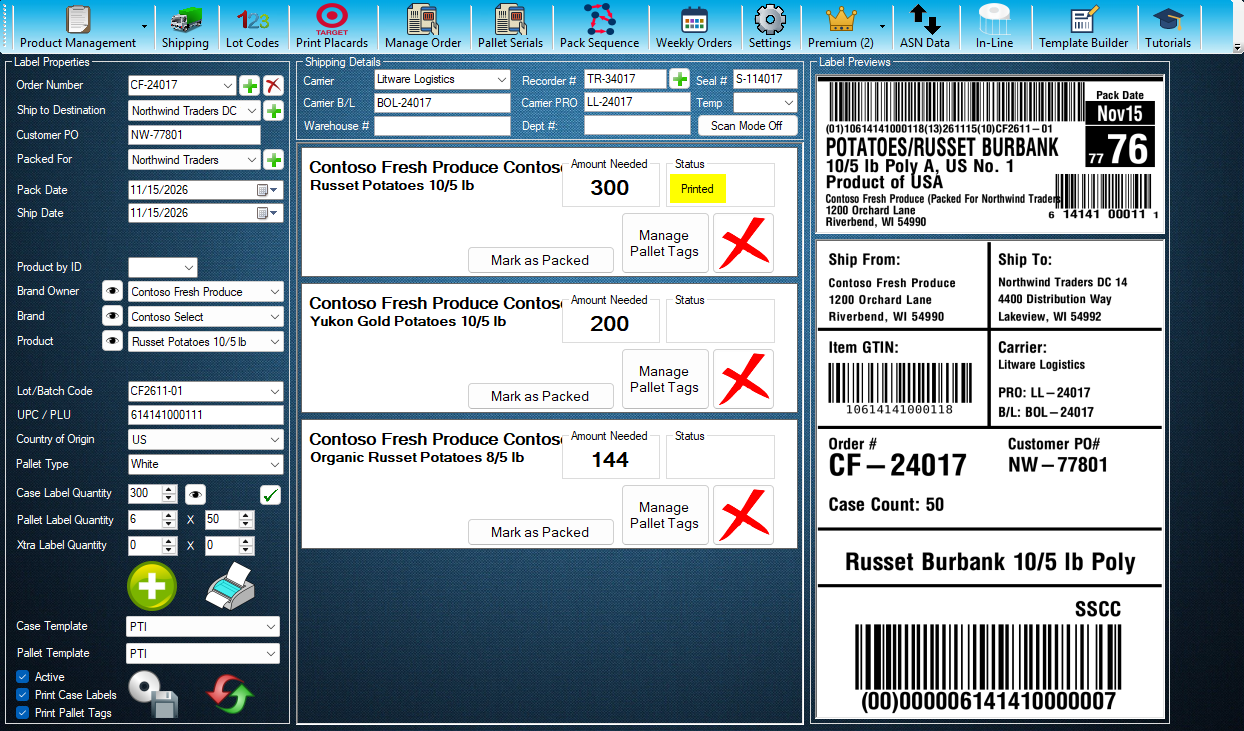
Step 1 / 5
New Order Number
The + button just right of Order Number starts a new order numbered with your next BOL serial number, and holds that number while you fill in the order. It is a Premium feature.
Step 1 of 5: New Order Number
All 5 steps
Every step, as text
The same steps as the interactive tutorial above. Select a step to open it there.
- 01New Order NumberThe + button just right of Order Number starts a new order numbered with your next BOL serial number, and holds that number while you fill in the order. It is a Premium feature.
- 02Open ShippingThe In-House BOL and the invoice are on the Shipping screen. Press Shipping to open it.
- 03Choose the OrderChoose the order here. Its In-House BOL and invoice carry the order's own BOL serial number, as INVOICE/BOL #.
- 04In-House BOLIn-House BOL shows your own bill of lading for the order, ready to print. Its Settings choose the columns and the next serial number. Once the order ships, its serial is locked.
- 05Create InvoiceCreate Invoice turns the order into a priced invoice. Enter a price per hundredweight (CWT) for each product and per pallet; the totals add up as you go. Close this window when done.
Keep going
Up next
Premium Features
Print Customer Pallet Serials
Print an order's pallet tags with your customer's own pallet serials (SSCCs), typed, pasted or read from their label PDF.
4 stepsStartPremium Features
Use the New Reports Page
Pick a report, narrow it with the filters, check the totals and the orders, then preview, print, save a PDF or open it in Excel.
8 stepsStartPremium Features
Run Case Labels on In-Line Stations
Pick a station, check its product, lot and label, then start a run that prints a case label each time the line signals.
10 stepsStart
Ready to print your first compliant label?
Email us for a free trial account. We'll set you up, and the tutorials take it from there.